 GPT Image 2 is now available — try the latest OpenAI image model in your video projects.✨
 AIStory.Video
New: Generate Background Music for Your Story Video

Music changes how a story feels.
A quiet scene needs space. A tense scene needs pressure. A heroic moment needs something bigger behind it. That is why we added AI-generated background music to the aistory.video creation flow.
Now, when you create a story video, you can let AI generate a piece of music based on the story itself.
What changed
The background music step now has three choices:
- no background music
- generate music based on the story
- choose music from the library
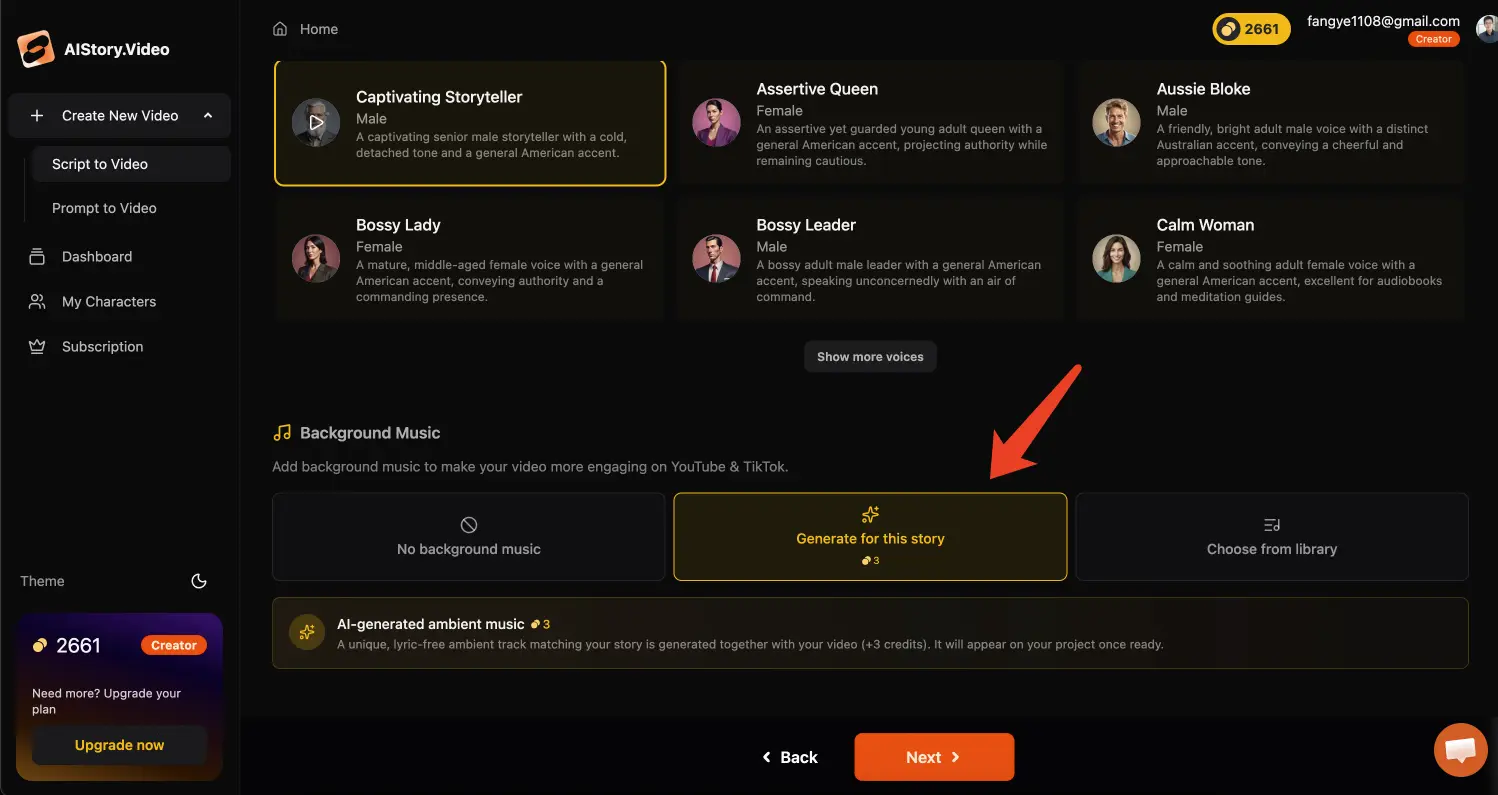
If you choose to generate music, aistory.video will create a voiceless, loopable background track that matches the mood of your current story.
This costs 3 credits and runs with the project generation flow.
Why this helps
Before this update, creators had to choose from a small set of preset tracks or bring in music from somewhere else.
That worked for simple videos, but it was not always a good fit. A Bible story, a kids adventure, a dark mystery, and a heroic short should not all feel like they share the same music folder.
Generated BGM gives the video a better emotional starting point. The music can follow the story instead of forcing the story to fit a generic track.
Where the generated music goes
Generated music is saved into the music library.
In the editor, the Music panel now uses the same three-part structure:
- no music
- generated music
- music library
If a track was generated with the current project, you can find it in the Generated tab.
Building a better music library over time
This update also helps aistory.video build a cleaner story music library.
Generated tracks now use a clearer set of music attributes, including:
- category
- mood
- theme
- tempo
That makes music easier to browse, filter, and recommend later.
For free users, generated music may be reviewed and added to the public library. For paid users, generated music stays private.
Better for story videos
This is especially useful for story-led formats:
- hero stories
- kids stories
- Bible stories
- history shorts
- faceless storytelling videos
When the script, characters, scenes, voiceover, and music all point in the same direction, the video feels more complete.
If you want to create a story video with AI-generated background music, start here: Create with aistory.video
Related links
- Create a story video with aistory.video
- Story Script Generator
- Timeline View in the Video Editor
- Better Story Scripts and Scene Lists for Short Videos
FAQ
Can aistory.video generate background music for my story?
Yes. In the background music step, choose the option to generate music based on the story.
Does AI-generated background music cost credits?
Yes. Generating background music costs 3 credits.
Does the generated music include vocals?
No. The generated track is background music without vocals, designed to support the story rather than compete with the voiceover.
Can I still choose music from the library?
Yes. You can still choose no music, generate new music, or import music from the library.